Google's NotebookLM went viral for its 'Podcast' feature. But if you're only using it for audio, you're missing the most powerful RAG tool on the market.
Google's NotebookLM Deep Dive: Move beyond the viral Audio Overview. Master Google AI RAG, source grounding, and Research Automation to eliminate hallucinations.

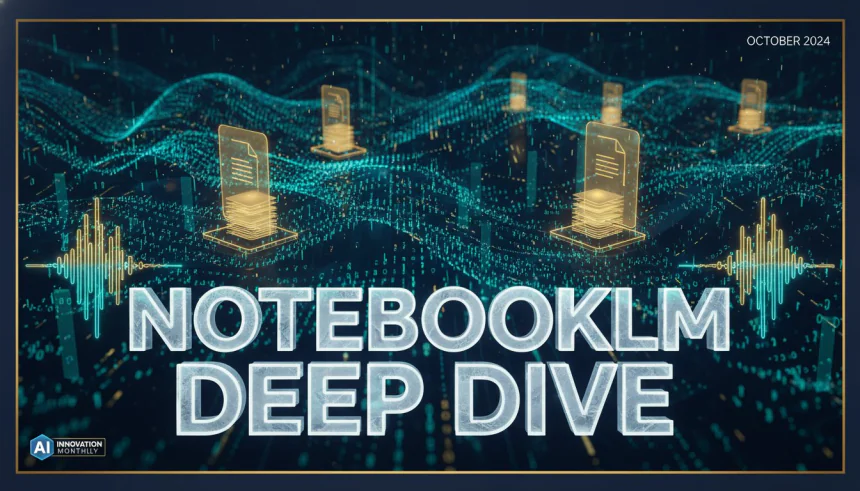
NotebookLM Deep Dive: Audio Overview, Google AI RAG & Research Automation
Google's NotebookLM went viral for its "Podcast" feature. But if you're only using it for audio, you're missing the most powerful RAG tool on the market.
In October 2024, my social media feed—and likely yours—was flooded with clips of two AI hosts bantering back and forth about complex PDF documents. It sounded shockingly human. It had "ums," interruptions, and genuine-sounding curiosity. The traffic to NotebookLM surged by nearly 200% overnight. Everyone wanted to turn their boring meeting notes into a radio show.
But here is the hard truth: The "Audio Overview" is a Trojan Horse.
While the internet was distracted by the cool voice feature, Google quietly solved the biggest problem in Artificial Intelligence: Trust. Underneath the viral audio clips lies a sophisticated engine designed for Research Automation that makes ChatGPT look like a toy when it comes to accuracy. This is a NotebookLM Deep Dive into what the tool actually does, why the "Audio Overview" is just the tip of the iceberg, and how Google AI RAG (Retrieval-Augmented Generation) is changing how we work.
Table of Contents
- 1. Introduction: The Billion-Dollar Pivot
- 2. What is NotebookLM? (Beyond the Hype)
- The Core Difference: Open vs. Grounded
- Gemini 1.5 Pro Under the Hood
- 3. NotebookLM Deep Dive: The Audio Overview & New Modes
- It’s Not Just a Podcast—It’s Auditory Learning
- 4. The "Killer App": Google AI RAG & Source Grounding
- The Click-to-Verify Trust Mechanism
- Why This Matters for Professionals
- 5. Research Automation: Practical Use Cases
- 1. The Academic Matrix
- 2. Corporate Strategy (SWOT Analysis)
- 3. Content Creation & Style Matching
- The 'Deep Audit' Bottleneck
- 6. NotebookLM vs. ChatGPT vs. Claude Projects
- 7. The Future: From Lab Experiment to Workspace Core
- The Rise of the 'Contextual Twin'
- 8. Conclusion: Stop Listening, Start Leveraging
1. Introduction: The Billion-Dollar Pivot
We need to talk about why this tool exists. For the last two years, we’ve been trained to use AI as a "creative writer." You ask a chatbot a question, and it dreams up an answer. Sometimes it's right, sometimes it hallucinates facts that don't exist.
I recall once asking a popular chatbot to summarize the career of a specific 20th-century architect. It didn't just get the dates wrong; it confidently hallucinated an entire award-winning bridge project that didn't exist, attributing it to him with such convincing detail that I nearly included it in a client proposal. It was a wake-up call: high-quality prose does not equal high-quality facts.
NotebookLM flips the script. It doesn't look at the entire internet. It looks only at the documents you give it. This creates a "walled garden" of information. When the "Audio Overview" feature dropped, it was a marketing genius move. It took a dry, academic tool and made it mainstream entertainment. But the real value isn't entertainment—it's synthesis.
The thesis of this deep dive is simple: Stop treating NotebookLM like a podcast generator. Start treating it as a research assistant that has read every document you’ve ever saved and can recall specific details instantly.
2. What is NotebookLM? (Beyond the Hype)
To understand the power here, you have to understand the definition. NotebookLM is not a chatbot. It is a Personalized RAG (Retrieval-Augmented Generation) engine.
The Core Difference: Open vs. Grounded

Most people use "Open Generation" models. This is standard ChatGPT or Claude. You ask, "Explain quantum physics," and it pulls from its training data (the open web). It’s great for general knowledge, but terrible for specific, private data.
NotebookLM uses "Source-Grounded Generation." This means the AI is instructed to ignore its outside training data when answering your questions and rely only on the sources you upload. If the answer isn't in your PDF, it tells you it doesn't know. It doesn't guess.
Gemini 1.5 Pro Under the Hood
The brain powering this system is Google's Gemini 1.5 Pro. The magic number you need to know here is the Context Window.

- Standard AI: Can remember about 10-20 pages of conversation.
- NotebookLM: Has a context window of 1 million to 2 million tokens.
We’ve all experienced that 'wall of text' fatigue. You’re 60 pages into a 150-page technical audit, and your brain starts to leak information. By the time you reach the conclusion, the critical nuances from the first chapter have evaporated. The human brain simply isn't wired to maintain perfect cross-reference consistency across thousands of data points in a single sitting.
That means you can upload 50 different sources—PDFs, Google Docs, Slides, even YouTube video links—simultaneously. The AI holds all that information in its "working memory" at the same time. You aren't chatting with one document; you are chatting with a synthesized library of your own data.
3. NotebookLM Deep Dive: The Audio Overview & New Modes
Okay, let’s address the elephant in the room. The feature that got you here.
The "Audio Overview" feature takes your source material and converts it into a dialogue between two AI hosts. They use analogies, they laugh, and they summarize the main points. It’s incredibly engaging.
It’s Not Just a Podcast—It’s Auditory Learning
The reason this went viral isn't just because the voices sound real. It's because the format aids retention. Listening to two people discuss a topic is often easier for our brains to process than listening to a single monologue (text-to-speech).
However, Google recently updated this with Customization Controls. You are no longer stuck with a generic summary. You can now direct the show.

- Focus Instructions: You can tell the AI, "Focus only on the financial data in these reports," or "Explain this to me like I'm a 5th grader."
- The "Brief" Format: Need a quick update? This mode cuts the banter and gives you a concise audio summary.
- "Critique" Mode: This is a game changer. You can upload your own essay and ask the audio hosts to critique it. It feels like getting feedback from two professors.
- "Debate" Mode: This forces the hosts to take opposing sides of an argument found in your text, helping you see blind spots in your research.
Take a topic like 'Zero-Knowledge Proofs in Cryptography.' Reading the academic whitepapers on it felt like trying to learn a new language while blindfolded. However, when I ran those same papers through NotebookLM’s Audio Overview, the AI hosts used an analogy about a secret color-coded cave to explain the concept. Hearing the inflection in their voices and the conversational simplified logic made the concept click in minutes.
4. The "Killer App": Google AI RAG & Source Grounding
While audio is fun, "Source Grounding" is what makes NotebookLM a professional tool. This is the feature that solves the hallucination problem.
The Click-to-Verify Trust Mechanism
When you ask NotebookLM a question about your documents, it provides an answer with footnotes. These aren't fake citations. They are active links.
If the AI says, "The project revenue increased by 20% in Q3 [1]," you can click on that little "[1]". immediately, the left side of your screen will jump to the exact paragraph in your original PDF where that information lives. It highlights the text.
This is the "Trust Mechanism." You don't have to take the AI's word for it. You can verify the source in seconds.

Why This Matters for Professionals
For lawyers, medical students, and academic researchers, "mostly right" is not enough. A hallucinated legal precedent can ruin a case. A made-up medical fact is dangerous.
In my world, a single hallucinated statistic or a misattributed quote isn't just a typo—it’s a catastrophic failure of credibility that can dismantle months of hard-earned professional trust.
NotebookLM delivers "verified right" answers. This allows you to perform what I call "Forensic Reading"—finding the needle in the haystack across thousands of pages without reading every word yourself.
5. Research Automation: Practical Use Cases
How do we actually use this in the real world? It's time to move beyond theory. Here are three practical workflows for Research Automation.
1. The Academic Matrix
If you are writing a literature review or a thesis, you likely have 20+ PDF papers to read.
The Workflow:
Upload all 20 PDFs to a single notebook. Ask NotebookLM: "Create a table comparing the methodology, sample size, and conclusion of every paper in this notebook."
It will generate a perfect comparison matrix in seconds, with citations back to the source text.
2. Corporate Strategy (SWOT Analysis)
Business analysts drown in quarterly reports.
The Workflow:
Upload your company's Q3 earnings report, plus the earnings reports of three major competitors. Ask: "Based strictly on these documents, generate a SWOT analysis (Strengths, Weaknesses, Opportunities, Threats) for our company compared to the competitors."
3. Content Creation & Style Matching
Writers can use this for editing.
The Workflow:
Upload your brand guidelines and your best-performing articles as "Sources." Then, paste in a new draft. Ask: "Critique this draft based on the tone and style rules found in the sources. List 5 specific changes to make it sound more like our brand."
The 'Deep Audit' Bottleneck
One of my most time-consuming tasks is performing Cross-Document Gap Analysis. This involves taking five different project proposals and identifying which specific requirements are missing from each. It’s a manual, eye-straining process that usually takes a full workday. Automating this via a RAG system would turn eight hours of scouring into eight minutes of verifying.
6. NotebookLM vs. ChatGPT vs. Claude Projects

Is NotebookLM better than ChatGPT? That is the wrong question. They are different tools for different jobs. Here is the breakdown.
| Feature | NotebookLM | ChatGPT (Plus) | Claude (Projects) |
|---|---|---|---|
| Primary Strength | Grounding & Citations (Zero Hallucination goal) | Reasoning & Coding (Broad knowledge) | Writing & Nuance (Creative output) |
| Context Window | Massive (1M+ Tokens) | Large (128k Tokens) | Large (200k Tokens) |
| Audio Capabilities | Viral "Podcast" Overview (Dual Host) | Advanced Voice Mode (Single Assistant) | Text-to-Speech only |
| Privacy | Data stays in the notebook (Private) | Data trains model (unless opted out) | Project-based privacy |
| Best Use Case | Study, Research, Analysis | Coding, Daily Tasks, Image Gen | Creative Writing, Coding |
The "Walled Garden" advantage is crucial here. If you are working on sensitive data, NotebookLM’s structure—where the AI only "knows" what is in the notebook—provides a layer of focus that broad chatbots cannot match.
7. The Future: From Lab Experiment to Workspace Core
NotebookLM started as "Project Tailwind," a small lab experiment. It is now becoming a core part of the Google ecosystem. We are seeing the beginning of a major shift.
We are moving from "Search" to "Synthesis."
For the last 20 years, when we needed answers, we searched the web (Google Search). In the future, we will search our own digital footprints. Imagine a version of NotebookLM that is automatically connected to your entire Google Drive, your emails, and your Slack messages.
You won't search for "Q3 Report." You will ask, "What were the three main risks we discussed regarding the Q3 launch in email threads last July?" And it will answer you, with citations.
The Rise of the 'Contextual Twin'
I envision a future where we have a Contextual Neural Overlay—an AI that doesn't just store files, but lives within our professional history. Imagine a tool that silently observes your meetings, emails, and drafts for years, and then, while you're writing a new strategy, whispers: 'Hey, this contradicts the promise you made to this client back in 2022.' It wouldn't just be an assistant; it would be a perfect, infallible extension of your own professional memory.

8. Conclusion: Stop Listening, Start Leveraging
The viral audio clips are fun. I admit it, I listen to them too. It’s a great way to digest a long article while you're driving or at the gym.
But if you stop there, you are leaving 90% of the value on the table. NotebookLM is the first tool that genuinely delivers on the promise of an "AI Research Assistant." It reads faster than you, it remembers more than you, and crucially, it points to the page number so you can trust it.
Here is my challenge to you:
Don't just open the app and play with the demo. Take your five most dense, complex PDFs—the ones you’ve been avoiding reading. Upload them to a fresh notebook. Ask one hard question. Watch it cite the answer. That moment is when you’ll realize that the future of work isn't about working harder; it's about automated synthesis.
The "NotebookLM Deep Dive" isn't about audio. It's about regaining control over your information overload.
Share
What's Your Reaction?
 Like
0
Like
0
 Dislike
0
Dislike
0
 Love
0
Love
0
 Funny
0
Funny
0
 Angry
0
Angry
0
 Sad
0
Sad
0
 Wow
0
Wow
0



![Power BI vs. Tableau: Which One Should You Learn in 2026? [Full Comparison]](https://eallinfo.com/uploads/images/202601/img_w140_6965d797a05da0-22156126.webp)



![Power BI vs. Tableau: Which One Should You Learn in 2026? [Full Comparison]](https://eallinfo.com/uploads/images/202601/img_w500_6965d796ef18b6-82011059.webp)