

15+ Smart Home Automation Ideas to Revolutionize Your Morning Routine
Transform your wake-up call with these top smart home automation ideas. Learn how to automate your morning routine with lights, coffee, and voice assistants.

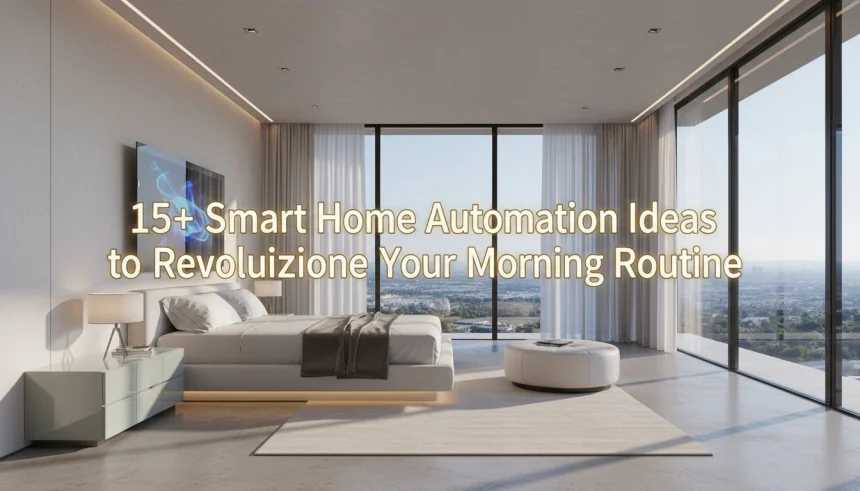
15+ Smart Home Automation Ideas to Revolutionize Your Morning Routine
Let's be honest about how most mornings start. The alarm screams at you from a dark room. You hit snooze. Maybe twice. Then you stumble out of bed, shivering because the house is cold, and trip over something in the hallway while hunting for a light switch.
By the time you actually find the coffee maker, you’re already stressed, tired, and running late. It doesn’t have to be this way.
"I still vividly remember the 'Winter of 2023.' I’d wake up in a freezing apartment, fumble blindly for my glasses, accidentally step on a stray Lego brick (pure pain!), and then realize I forgot to prep the coffee machine the night before. By the time I actually left the house, my cortisol levels were already spiking. It was a terrible way to start a productive day."
Imagine a different scenario. The lights in your bedroom slowly fade up like a sunrise. The temperature adjusts to a comfortable level before your feet even touch the floor. The smell of fresh coffee wafts from the kitchen, and your favorite news podcast starts playing automatically as you brush your teeth. You haven't touched a single button.
This isn't sci-fi. It's accessible tech you can set up this weekend. In this guide, we’re going to break down actionable smart home automation ideas that will completely change how you start your day. We aren't just talking about gadgets; we are talking about buying back your time and energy.
Table of Contents
- Why Does Your Morning Routine Need Automation?
- Killing Decision Fatigue
- Real Energy Efficiency
- The Psychology of Waking Up
- Phase 1: The Gentle Wake-Up (Bedroom Automation)
- 1. Sunrise Simulation with Smart Bulbs
- 2. Automated Smart Blinds
- 3. Temperature Control Before Feet Hit the Floor
- 4. The "No-Snooze" Audio Experience
- Phase 2: Bathroom & Getting Ready
- 5. The Smart Mirror Dashboard
- 6. Pre-Heated Towels
- 7. Voice Assistant Flash Briefings
- Phase 3: The Smart Kitchen Breakfast
- 8. The Automated Coffee Pot
- 9. The Morning Hub Display
- 10. Appliance Prep
- Phase 4: Seamless Departure
- 11. The "Goodbye" Scene
- 12. Garage and Gate Geofencing
- 13. Robot Vacuums: Cleaning While You Work
- Platform-Specific Setup Guides
- Amazon Alexa Routines
- Google Home Automations
- Apple HomeKit Scenes
- Advanced Smart Home Automation Ideas
- 14. Motion Sensor "Landing Strips"
- 15. NFC Tags on the Nightstand
- 16. Conditional Logic for Weather
- Comparing Smart Light Options
- Common Pitfalls to Avoid
- Conclusion: Start Small, Think Big
Why Does Your Morning Routine Need Automation?
You might think, "I can flip a switch myself, I don't need a robot to do it." True. But smart home tech isn't about laziness. It's about mental bandwidth.
Killing Decision Fatigue
There is a concept called "decision fatigue." Every small choice you make drains a little bit of your mental battery. Should I wear the blue shirt? Is it cold enough for a jacket? Did I leave the lights on?
By 9 AM, you’ve made dozens of micro-decisions. Automating the basics—lighting, temperature, coffee—removes that friction. You save that brainpower for the important stuff, like your job or your family.
Real Energy Efficiency
A smart morning routine saves you money. We often forget to turn down the heat at night or leave lights burning in empty rooms. Automation ensures energy is only used when it’s needed.
The Psychology of Waking Up
Waking up to a blaring siren triggers cortisol—the stress hormone. Waking up to light and gradual sound triggers a more natural wake cycle. It sets a calmer tone for the entire day.
"Personally, shifting from a jarred, blaring alarm to a gradual light fade-in changed my mood entirely. I stopped waking up in 'fight or flight' mode. Now, I wake up feeling like I’ve actually finished my sleep cycle, rather than being ripped out of it. My focus during the first hour of work has improved drastically because I'm not starting the day with adrenaline."
Phase 1: The Gentle Wake-Up (Bedroom Automation)

The most critical part of your day is the first 30 minutes. If you win the morning, you win the day. Here is how to use smart home automation ideas to perfect that wake-up call.
1. Sunrise Simulation with Smart Bulbs
Blackout curtains are great for sleep, but terrible for waking up. Your body needs light to know it's time to rise.
You don't need expensive "wake-up lights." If you have smart bulbs like Philips Hue, LIFX, or even cheaper options like Wyze or Sengled, you can program a "Fade In" routine.
- The Setup: Set your bedroom lights to turn on at 1% brightness 30 minutes before your alarm.
- The Ramp Up: Over that half-hour, have them transition from a warm, deep orange to a bright, cool white.
- The Result: You often wake up naturally before the audio alarm even goes off.
2. Automated Smart Blinds
If you prefer real sunlight, smart blinds are the ultimate luxury. Motorized shades from brands like Lutron Serena or retro-fit kits like SwitchBot Curtain can physically open your drapes.
Pro Tip: Sync this with your local weather. If it’s sunny, the blinds open. If it’s a gloomy, gray day, your smart lights take over to compensate.
3. Temperature Control Before Feet Hit the Floor
Nobody likes leaving a warm duvet for a freezing room. This is where a smart thermostat (Ecobee, Nest, or Honeywell) shines.
Schedule your thermostat to bump the temperature up (or cool it down in summer) about 45 minutes before you wake up. By the time you get out of bed, the room is inviting. This makes it physically easier to stop hitting snooze.
4. The "No-Snooze" Audio Experience
Instead of a buzzer, use a smart speaker (Echo Dot or Nest Mini). Set up a routine that plays a specific playlist.
Start with soft acoustic music or ambient nature sounds. Have the volume increase by 10% every minute. It’s persistent but polite. It nudges you awake rather than shocking you.
"I once set my Google Home to play 'The Circle of Life' from The Lion King at full volume. Effective? Yes. Peaceful? Absolutely not. I learned my lesson. Now, I stick to a gentle lo-fi hip-hop playlist that slowly increases in volume. It’s persistent enough to wake me up, but gentle enough that I don't hate the device."
Phase 2: Bathroom & Getting Ready
Once you are up, the bathroom routine usually follows. This is where time often disappears. You stare at the mirror, check your phone, and suddenly you're 10 minutes late. Let's fix that.
5. The Smart Mirror Dashboard

You have seen these in movies. A mirror that shows you the time, weather, and calendar while you brush your teeth. You can buy pre-made smart mirrors, but they are pricey.
The DIY Route: Many tech enthusiasts build their own using a standard two-way mirror, an old tablet or monitor, and software like "MagicMirror²" running on a Raspberry Pi. It keeps your phone out of your hand (a major time waster) but keeps you informed.
6. Pre-Heated Towels
This feels like a spa day, every day. You don’t need a "smart" towel rack. You need a "dumb" electric towel warmer and a smart plug.
Plug the warmer into a smart plug. Schedule it to turn on 20 minutes before your shower time. Stepping out of the shower into a hot towel is a game changer for winter mornings.
7. Voice Assistant Flash Briefings
Stop doom-scrolling social media while you get dressed. It kills your mood. Instead, set up a "Flash Briefing" on Alexa or Google Assistant.
Trigger: Place a motion sensor in the bathroom. When you walk in between 6:00 AM and 8:00 AM, the assistant reads:
- Today’s weather forecast.
- Traffic conditions for your commute.
- Top 3 news headlines (NPR, BBC, or your choice).
- Your first meeting of the day.
You get all the info you need hands-free.
Phase 3: The Smart Kitchen Breakfast

The kitchen is the command center. If things go wrong here, you leave the house hungry or caffeineless. These smart home automation ideas ensure that never happens.
8. The Automated Coffee Pot
There are three ways to do this, depending on your budget and coffee snobbery level.
- Level 1 (Basic): A standard drip coffee maker with a physical "on" switch plugged into a smart plug. You prep the water and grounds the night before. The plug turns on at 6:45 AM.
- Level 2 (The Button Pusher): If your machine has a digital button, a smart plug won't work. Use a "SwitchBot Bot." It’s a tiny robot finger that physically presses the button on your machine on a schedule.
- Level 3 (High-End): A Wi-Fi-enabled coffee machine that integrates directly with your smart home ecosystem.
"It sounds small, but automating my kettle saves me about 7 minutes of 'standing around' time every morning. That’s the time it takes to fill, boil, and wait. Over a year, that is nearly 42 hours—literally an entire work week—reclaimed just by adding a $10 smart plug."
9. The Morning Hub Display
Smart displays like the Echo Show or Google Nest Hub are perfect for kitchen counters. While you eat, the screen can visually show you the best route to work.
If you have kids, this is huge. You can program the display to announce countdowns: "10 minutes until the bus arrives!" It keeps everyone moving without you having to be the "bad guy" yelling about the time.
10. Appliance Prep
Do you eat toast or use a kettle? Smart plugs can handle this, but safety is paramount. Only automate heating appliances that have auto-shutoff features.
A safer bet? Automate the lighting in the kitchen to turn bright "Daylight" white (5000K-6000K). High Kelvin light suppresses melatonin and helps you wake up fully while you eat.
Phase 4: Seamless Departure
Leaving the house is usually a scramble of "Did I lock the door?" and "Where are my keys?"
11. The "Goodbye" Scene

Instead of running around turning off switches, create a single "Goodbye" scene.
You trigger this by saying "Goodbye" to your voice assistant, or pressing a smart button by the front door. This single command should:
- Turn off all smart lights in the house.
- Lower the thermostat to "Away" mode (Eco mode).
- Turn off music/media.
- Check if smart locks are engaged (or lock them).
- Arm your security cameras/system.
12. Garage and Gate Geofencing
Geofencing uses your phone’s GPS location. Create a radius around your home (say, 100 meters).
- Leaving: When your phone exits the radius, the garage door closes automatically (requires a smart garage controller like MyQ).
- Arriving: When you re-enter the radius, the garage opens, and the hallway lights turn on.
No more driving back around the block to check if you closed the garage.
13. Robot Vacuums: Cleaning While You Work
The best time to clean is when nobody is home. Schedule your Roomba or Roborock to start its cycle 15 minutes after you usually leave.
Coming home to clean floors without hearing the vacuum noise is one of the best perks of smart home living.
Platform-Specific Setup Guides
You might be wondering which system handles these smart home automation ideas best. Here is a quick breakdown.
| Platform | Best For... | Morning Routine Strength |
|---|---|---|
| Amazon Alexa | Beginners & Compatibility | Excellent "Routines" feature. Easy to make the assistant say specific phrases or play news. |
| Google Home | Information Junkies | Best for calendar integration, traffic updates, and answering questions during breakfast. |
| Apple HomeKit | iPhone Users & Privacy | "Shortcuts" are powerful. Great for location-based triggers (Geofencing) and privacy security. |
| Samsung SmartThings | Advanced Users | Complex logic. Great if you want sensors to trigger very specific actions across different brands. |
Amazon Alexa Routines
Open the Alexa app, go to More > Routines. Click the '+' icon.
When this happens: Select 'Schedule' (e.g., 7:00 AM) or 'Voice' (e.g., "Alexa, start my day").
Add Action: Add 'Smart Home' (lights), 'Weather', 'News', and 'Wait' (delays).
Google Home Automations
Open Google Home, tap 'Automations'.
There is a pre-made 'Good Morning' routine. You can customize it.
Pro Tip: You can type in custom commands that act as if you spoke to the Assistant. For example, add a custom action "Ask Spotify to play Upbeat Pop."
Apple HomeKit Scenes
Create a "Scene" called "Morning." Add accessories like lights and blinds.
Then, go to the 'Shortcuts' app on your iPhone. Create a 'Personal Automation'.
Trigger: "When my alarm is stopped." Action: Run "Morning" Scene. This is seamless integration.
Advanced Smart Home Automation Ideas

Ready to go beyond the basics? These ideas require a bit more setup but offer a "magical" experience.
14. Motion Sensor "Landing Strips"
If you wake up earlier than your partner, you don't want to turn on the main lights. Place motion sensors under your bed frame or along the baseboards.
Link these to an LED light strip. When you swing your legs out of bed, the strip glows a dim red (which preserves night vision). It lights your path to the door without waking anyone else up.
15. NFC Tags on the Nightstand
NFC (Near Field Communication) tags are cheap stickers—often less than a dollar each. You can stick one on your bedside table.
When you wake up, simply tap your phone against the sticker. That tap can trigger your entire morning routine via Apple Shortcuts or Tasker (Android). It’s faster than voice commands and silent.
"My brother-in-law placed an NFC tag inside his car phone mount. As soon as he docks his phone in the morning, it automatically turns off Wi-Fi, enables Bluetooth, opens Spotify, and pulls up the GPS route to his office. It turns a clumsy four-step process into zero steps."
16. Conditional Logic for Weather
This is for the pros using hubs like SmartThings or Home Assistant. You can set up logic based on external data.
Example:
IF time is 7:00 AM
AND weather forecast = Rain
THEN turn entryway light BLUE.
This gives you a visual cue to grab an umbrella before you even look out the window.
Comparing Smart Light Options
Lighting is the foundation of a smart morning. Not all bulbs are equal.
| Brand | Price Point | Hub Required? | Color Quality |
|---|---|---|---|
| Philips Hue | High | Yes (Bridge recommended) | Top Tier. Smooth dimming, rich colors. |
| LIFX | Medium/High | No (Wi-Fi) | Extremely bright, vivid colors. |
| Wyze Bulb Color | Low | No (Wi-Fi) | Great value, good enough for most. |
| Sengled | Low | Yes (Zigbee hub usually) | Reliable, good response time. |
Common Pitfalls to Avoid
Automation is great until it breaks. Here is how to keep your morning smooth.
- Reliance on WiFi: If your internet goes down, do your lights still work? Smart switches are often better than smart bulbs because they still function physically.
- The "Guest" Factor: If a guest sleeps over, will the blinds automatically open at 6 AM and wake them up? Make sure it's easy to disable routines.
- Over-Complication: Don’t automate things that don’t need it. You don’t need a smart toaster if you only eat cereal. Start simple.
Conclusion: Start Small, Think Big
You don't need to rewire your entire house today. The best way to approach smart home automation ideas is to solve one pain point at a time.
Does the alarm clock drive you crazy? Start with sunrise lighting. Do you always forget to turn down the heat? Get a smart thermostat. Even one small change can recover 10 to 15 minutes of your morning. Over a year, that is hours of extra sleep or productive time.
"Which of these automation ideas are you going to try first? Or do you have a crazy smart home setup already that saves you time? Drop a comment below—I’d love to hear how you’re hacking your morning routine."
A smart morning isn't about being lazy. It’s about starting your day with intention, calm, and efficiency. Once you experience a morning where the house wakes up with you, you will never want to go back to the jarring buzz of an alarm clock again.
Ready to upgrade your morning? Pick one idea from this list and set it up this weekend. Your future self will thank you.
Share
What's Your Reaction?
 Like
0
Like
0
 Dislike
0
Dislike
0
 Love
0
Love
0
 Funny
0
Funny
0
 Angry
0
Angry
0
 Sad
0
Sad
0
 Wow
0
Wow
0



![Power BI vs. Tableau: Which One Should You Learn in 2026? [Full Comparison]](https://eallinfo.com/uploads/images/202601/img_w140_6965d797a05da0-22156126.webp)




![Power BI vs. Tableau: Which One Should You Learn in 2026? [Full Comparison]](https://eallinfo.com/uploads/images/202601/img_w500_6965d796ef18b6-82011059.webp)